“DNS propagation” is useful shorthand, but DNS changes do not spread through the Internet like a file copied from server to server. The operator publishes new authoritative data. Recursive resolvers that already cached the old answer may continue serving it until its cache lifetime expires; resolvers without a cached copy can usually retrieve the new answer immediately. This guide walks through what propagation really is, how the NetworkUtils.org Propagation Check behaves, how to read dig, nslookup, and PowerShell output, and how to draw defensible conclusions from each.
Executive summary
A propagation checker samples selected recursive resolvers. It does not inspect every resolver, every user, or every cache layer, and agreement is not automatically proof of correctness. The authoritative answer, delegation state, DNSSEC validity, resolver cache state, record type, and exact name queried must all be separated.
Core principles
- Verify the authoritative servers before interpreting public-resolver results.
- Compare complete RRsets as unordered sets; A and AAAA address order is not semantically significant.
- TTL is a cache lifetime, not a countdown attached permanently to a record.
- Changing a TTL after old data was cached does not shorten those existing cache entries.
- NXDOMAIN and NODATA can also be cached.
- Delegation and name-server changes involve parent and child zones, not merely one record.
- DNSSEC errors can make correct-looking data unusable to validating resolvers.
- Operating-system and application caches can outlive or bypass a public-resolver observation.
1. What DNS propagation really is
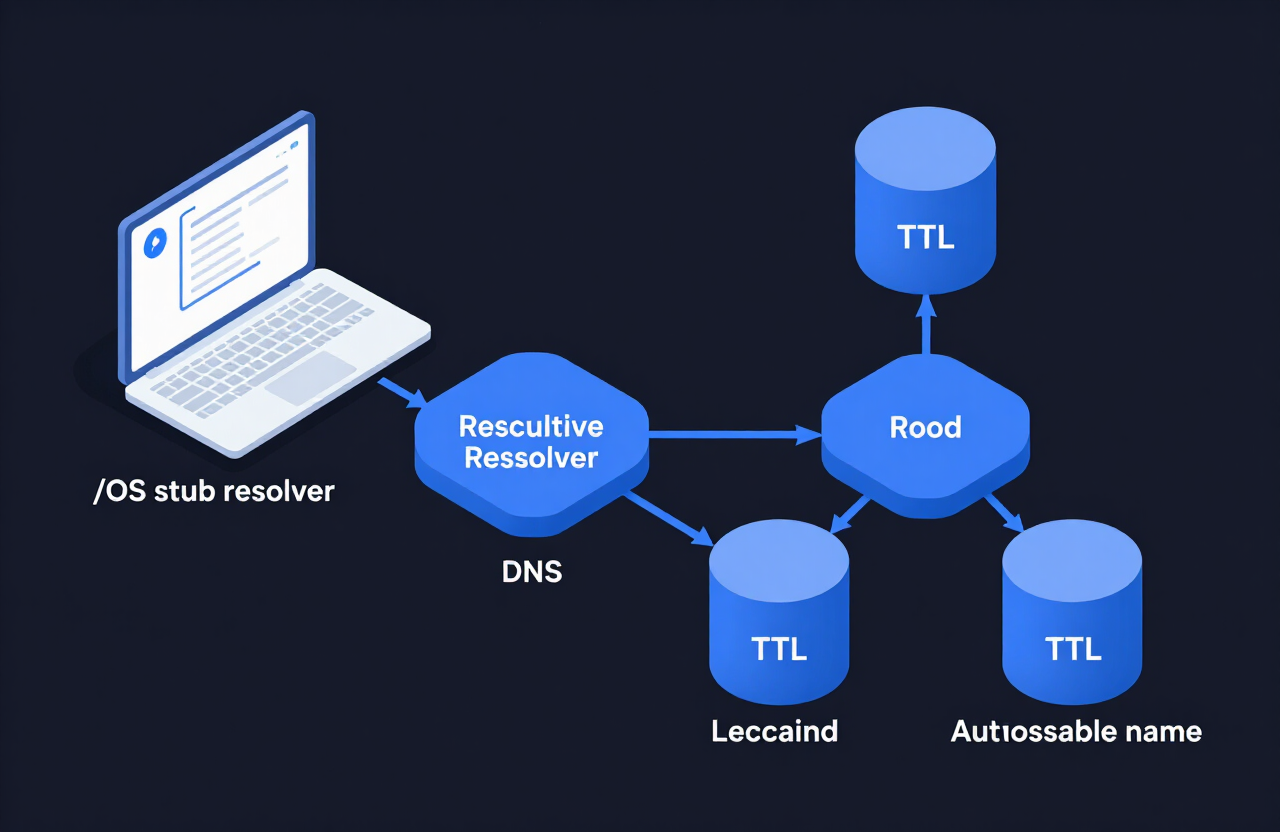
DNS is a distributed, hierarchical database. A stub resolver in an application or operating system normally asks a recursive resolver. If the recursive resolver has a usable cached answer, it returns that answer. Otherwise it follows referrals from the root zone through the relevant top-level domain and delegation until it reaches an authoritative server.
Application / browser
      |
      v
OS stub resolver -> Recursive resolver -> Root -> TLD -> Authoritative server
      |
      +---- cached answer, if still valid
Publication versus cache expiry
Two distinct events are often conflated: authoritative publication, when every authoritative server serves the intended zone data, and recursive cache turnover, when previously cached answers expire and are replaced. Publication problems require fixing the authoritative system. Cache turnover normally requires waiting for earlier TTLs, while checking that no additional fault exists.
Why there is no universal completion moment
Resolvers cache records at different times. If a 3600-second record was cached one second before a change, that resolver may retain the old RRset for almost an hour. Another resolver with no cached copy may return the new data immediately. Some resolvers use prefetching, serve-stale behavior, minimum/maximum TTL policies, or layered caches, so observed timing can differ.
2. The resolution path
| Component | Role | Propagation relevance |
|---|---|---|
| Zone operator | Publishes records and TTLs | Origin of intended data |
| Authoritative server | Answers for the zone | All authoritative servers should agree |
| Parent zone | Publishes delegation and DS | Critical for NS and DNSSEC changes |
| Recursive resolver | Performs lookups and caches RRsets | May retain old positive or negative data |
| Stub resolver | OS/application DNS client | May add a local cache/search behavior |
| Application/CDN | May cache or vary answers | Can differ from command-line tools |
Recursive and iterative queries
Clients usually request recursion from a configured resolver. The recursive resolver then performs iterative queries, receiving referrals until it reaches authority. A direct query to an authoritative server deliberately bypasses recursive-cache state and is the best first test of what is currently published.
UDP, TCP, and encrypted transports
Classic DNS commonly uses UDP or TCP port 53. Large or truncated responses may retry over TCP. DoT, DoH, and DoQ encrypt DNS transport but do not eliminate authoritative data, TTLs, or resolver caches. A browser using DoH may see a different resolver than the operating system.
3. TTLs and caching
A resource record TTL is expressed in seconds and tells a caching resolver how long the RRset may be retained. A resolver normally returns a decreasing remaining TTL. When it reaches zero, the resolver must refresh before treating the old copy as ordinarily valid, subject to standards and resolver features such as serve-stale.
Authoritative TTL: 3600 seconds
Resolver A cached 50 minutes ago -> about 600 seconds remain
Resolver B cached 5 minutes ago  -> about 3300 seconds remain
Resolver C has no cache          -> queries authority now
Lower TTL before a planned change
Lower the TTL at least one full old TTL before the cutover. Example: if the current TTL is 86400, publish a lower TTL more than 24 hours before changing the address. After the transition stabilizes, raise the TTL again. Lowering it five minutes before the change cannot retroactively alter yesterday’s cached copy.
RRsets, not individual records
Records with the same owner name, class, and type form an RRset. DNS does not assign meaning to the order of most RRset members. Thus {192.0.2.10, 192.0.2.20} is the same A RRset whether displayed in either order. A checker that counts these orderings as different “sets” may report false divergence.
Negative caching
NXDOMAIN means the queried name does not exist. NODATA means the name exists but not with the requested type. Both can be cached. Creating a previously absent record may therefore appear delayed until negative-cache entries expire. Negative caching is governed by the zone SOA data and RFC 2308 rules, not necessarily the future record’s TTL.
4. NetworkUtils.org Propagation Check
The interface asks for a domain name and describes parallel comparison across public resolvers, with per-resolver answers and an agreement or consistency summary. The current page advertises “20+” resolvers, while the verified run below queried 10. Treat the displayed run itself as the authority for its actual sample size.
PROPAGATION CHECK - www.example.org
Resolvers queried: 10
Successful answers: 10
Unique A record sets: 3
Consistency: divergent

Google (8.8.8.8)      172.66.157.237, 104.20.26.136
Cloudflare (1.1.1.1)  104.20.26.136, 172.66.157.237
Yandex (77.88.8.8)    8.6.112.0, 8.47.69.0
How to interpret each field
- Domain: the exact queried hostname. www.example.org and example.org are separate owner names.
- Resolvers queried: attempted resolver endpoints in this particular run; not a count of countries or all global resolvers.
- Successful answers: resolvers for which the service obtained a qualifying response. Success does not imply identical or correct data.
- Unique A record sets: intended to count distinct address answers, but address order must be normalized before comparison.
- Consistency: a service-level classification. “Divergent” describes the sample, not necessarily incomplete propagation.
- Resolver name and address: identifies the public recursive service endpoint. Anycast means the same address can route to different physical nodes.
- Answer: the observed A RRset. Differences may be stale data, filtering, load balancing, geo-DNS, ECS, synthesis, interception, or an error.
What the observed example proves
Nine displayed resolvers returned the same two addresses in different orders, while Yandex returned a different pair. The reversal of the first pair is not DNS divergence. The Yandex answer is a real observed difference, but the output alone cannot establish stale caching. Correct diagnosis requires direct authoritative queries, requested-type confirmation, TTLs, response codes, CNAME chains, DNSSEC state, and knowledge of resolver policy.
A public resolver comparison is a sample of resolver behavior at one time. It is not a geographical census, and an anycast resolver address is not permanently tied to one location.
5. Reading DNS output
$ dig example.org A
;; ->>HEADER<<- opcode: QUERY, status: NOERROR, id: 12345
;; flags: qr rd ra; QUERY: 1, ANSWER: 2, AUTHORITY: 0
;; ANSWER SECTION:
example.org.  300  IN A  192.0.2.10
example.org.  300  IN A  192.0.2.20
;; Query time: 24 msec
;; SERVER: 1.1.1.1#53
;; WHEN: ...
;; MSG SIZE rcvd: 72
| Field | Meaning |
|---|---|
| status: NOERROR | The query completed without a DNS error; the requested type can still be absent. |
| NXDOMAIN | The queried name was reported nonexistent. |
| SERVFAIL | The resolver could not produce an answer; DNSSEC failure, upstream failure, or server trouble are possibilities. |
| REFUSED | The server declined the query under its policy. |
| qr | This message is a response. |
| aa | Authoritative Answer; meaningful when querying a server authoritative for the name. |
| rd / ra | Recursion desired / recursion available. |
| ad | Resolver asserts that data was DNSSEC-validated for the client context. |
| tc | Response was truncated; retry over TCP may be needed. |
| ANSWER | Requested data or CNAME-chain answer records. |
| AUTHORITY | Delegation, SOA, denial, or authority-related records. |
| ADDITIONAL | Related records and protocol metadata such as EDNS. |
| 300 | Remaining TTL as presented by this server. |
| SERVER | Resolver or server actually queried. |
| Query time | Transaction time, not propagation time. |
Record types relevant to change diagnosis
- A / AAAA: IPv4 and IPv6 addresses. Check both; one can be stale while the other is correct.
- CNAME: alias target. Follow the entire chain and consider every TTL in it.
- NS: name servers for a zone; compare child authoritative data with the parent delegation.
- SOA: zone metadata, including serial, refresh, retry, expire, and the field used in negative caching.
- DS / DNSKEY / RRSIG: DNSSEC delegation, keys, and signatures.
- MX: mail exchangers; priority is significant.
- TXT: arbitrary text used by SPF, verification, and other systems. Quoted chunks may be presentation, not distinct semantic values.
- CAA: certificate-authority authorization.
- SRV: service target, port, priority, and weight.
6. Command-line verification
dig on Linux, macOS, and BIND installations
dig example.org A
dig @1.1.1.1 example.org A
dig @ns1.example.net example.org A +norecurse
dig example.org AAAA +short
dig example.org A +trace
dig example.org A +dnssec
dig +tcp example.org A
dig -x 192.0.2.10
- @server selects the resolver or authoritative server.
- type selects A, AAAA, NS, SOA, MX, TXT, CAA, SRV, DS, DNSKEY, or another type.
- +norecurse requests a nonrecursive answer, appropriate for direct authority checks.
- +short reduces output but hides flags, TTL context, and diagnostic sections.
- +trace performs iterative referral walking from the root.
- +dnssec requests DNSSEC records; it does not by itself prove local validation.
- +tcp forces TCP.
- -x constructs a reverse PTR query.
- +noall +answer gives a focused answer section; +comments restores header details.
Windows nslookup
nslookup example.org
nslookup -type=A example.org 1.1.1.1
nslookup -type=AAAA example.org 8.8.8.8
nslookup -type=SOA example.org
nslookup -debug example.org
- -type= or -querytype= chooses the record type.
- A trailing server chooses the DNS server for that command.
- -debug or -d2 increases diagnostic detail.
- -timeout=seconds and -retry=count adjust query behavior.
- -vc uses a virtual circuit (TCP).
- Interactive mode supports server, lserver, set type=, set recurse/norecurse, set debug, and exit.
PowerShell Resolve-DnsName
Resolve-DnsName example.org -Type A
Resolve-DnsName example.org -Type AAAA -Server 1.1.1.1
Resolve-DnsName example.org -Type SOA -DnsOnly
Resolve-DnsName example.org -Type A -NoRecursion
Resolve-DnsName example.org -Type A -TcpOnly
- -Type selects the record type.
- -Server selects a DNS server.
- -DnsOnly prevents fallback to non-DNS name mechanisms.
- -NoRecursion clears the recursion request.
- -TcpOnly forces TCP.
- -DnssecOk requests DNSSEC data; -DnssecCd sets checking disabled and changes validation handling.
- -NoHostsFile bypasses the hosts file.
- -QuickTimeout shortens retry timing.
- -LlmnrOnly, -LlmnrNetbiosOnly, and -NetbiosFallback concern local-name mechanisms, not public DNS propagation.
macOS client-path checks
dig example.org A
dscacheutil -q host -a name example.org
scutil --dns
On macOS, dig can test a chosen DNS server directly, while dscacheutil exercises system directory/cache behavior and scutil --dns shows resolver configuration, including scoped resolver choices. Browser DoH can still bypass that OS path.
7. A definitive propagation workflow
- Record the exact owner name, record type, old RRset, new RRset, intended TTL, and change time.
- Query every authoritative server directly with recursion disabled. Normalize RRset order before comparison.
- Compare SOA serials and confirm all authorities serve the same intended zone version.
- For NS or DNSSEC changes, inspect the parent delegation and DS separately from the child zone.
- Validate DNSSEC. A signed answer that looks correct can still yield SERVFAIL at validating resolvers.
- Query several recursive resolvers and record response code, complete chain, answer, and remaining TTL.
- Test both A and AAAA, plus all CNAME targets.
- Test the affected operating system and application path, including VPN, split DNS, hosts files, browser DoH, and local caches.
- Test the actual service after resolution. Correct DNS does not prove that the new endpoint works.
- Recheck after the old cache horizon, but investigate rather than waiting blindly when authoritative data is inconsistent.
Authoritative servers agree?
  no -> fix publication / zone transfer / provider state
  yes -> delegation and DNSSEC correct?
    no -> fix parent-child or signing problem
    yes -> public resolvers differ?
      yes -> inspect TTL, response code, RRset normalization, geo-policy
      no  -> inspect client/application caches and actual service
8. Common causes of apparent non-propagation
| Symptom | Likely areas to investigate |
|---|---|
| One authoritative server is old | Zone transfer failure, hidden primary issue, provider deployment lag, serial handling |
| All authorities new; some recursors old | Unexpired positive or negative cache, layered cache, serve-stale |
| A correct; AAAA old | Separate RRset not changed or separately cached |
| Apex correct; www old | Different owner name or CNAME chain |
| Public tools correct; user wrong | OS/app cache, VPN, split DNS, hosts file, DoH, ISP interception |
| Different address order only | Same unordered RRset; not propagation failure |
| Different answers by location | Geo-DNS, anycast, ECS, policy, CDN steering |
| SERVFAIL only on validating resolvers | DNSSEC signature, key, DS, clock, or denial-of-existence problem |
| NS changed but delegation old | Registrar/registry parent-zone publication or cached delegation |
| Recently created name still NXDOMAIN | Negative caching |
| Correct DNS; site still fails | Endpoint, routing, firewall, TLS, HTTP, or application failure |
9. Planning a safe DNS change
Before
- Inventory A, AAAA, CNAME, MX, NS, DS, and application dependencies.
- Measure current TTLs at authority and recursive resolvers.
- Lower TTL at least one old-TTL interval in advance.
- Provision and test the new endpoint using direct address, Host header/SNI, or a staging name.
- Ensure old and new endpoints can overlap.
During
- Publish the new RRset and verify every authoritative server.
- Watch DNSSEC validation and parent delegation when relevant.
- Monitor both old and new endpoints because cached users can reach either.
- Sample resolvers without treating one checker as universal truth.
After
- Keep the old endpoint available beyond the expected cache horizon when risk warrants it.
- Confirm application traffic and logs, not only DNS answers.
- Raise TTL after stability is demonstrated.
- Document actual times and anomalies for the next change.
10. What conclusions are defensible?
Prefer: “At 14:00 UTC, all four authoritative servers returned the intended A RRset with TTL 300. Eight of ten sampled recursive resolvers returned the same unordered RRset; two returned cached old data with remaining TTLs below 180 seconds.” Avoid: “DNS is 80% propagated.”
A percentage hides which resolvers were sampled, whether they were independent, what record type was queried, whether order was normalized, whether answers were authoritative or cached, and whether disagreement was expected geo-policy.
What a successful checker result means
The sampled resolvers returned answers that the checker considered consistent at that time. It does not establish global visibility, correct DNSSEC, correct delegation, or application health.
What a divergent result means
The sample contained answers the checker classified differently. That is a prompt to investigate, not proof that caches merely need more time.
Sources and version scope
- NetworkUtils.org Propagation Check
- RFC 1034 — DNS Concepts and Facilities
- RFC 1035 — DNS Implementation and Specification
- RFC 2181 — Clarifications to the DNS Specification
- RFC 2308 — Negative Caching
- RFC 4033 — DNSSEC Introduction and Requirements
- Microsoft Resolve-DnsName
- Microsoft nslookup
- BIND 9 dig manual
Tool behavior and interfaces can change. NetworkUtils.org observations in this guide were verified in September 2026. Always record the actual output, query time, server, name, type, and flags used.